AnimeLiveWall for Windows
Set Anime Live Wallpapers on Windows
Download anime MP4 wallpapers from AnimeLiveWall, then apply them to Windows with the free Windows desktop client.

AnimeLiveWall for Windows
Download anime MP4 wallpapers from AnimeLiveWall, then apply them to Windows with the free Windows desktop client.
AnimeLiveWall exclusively creates original anime live wallpaper videos and develops the official Windows client that imports, previews and applies them to your selected display.
Live in Anime. Bring Windows screen to life.
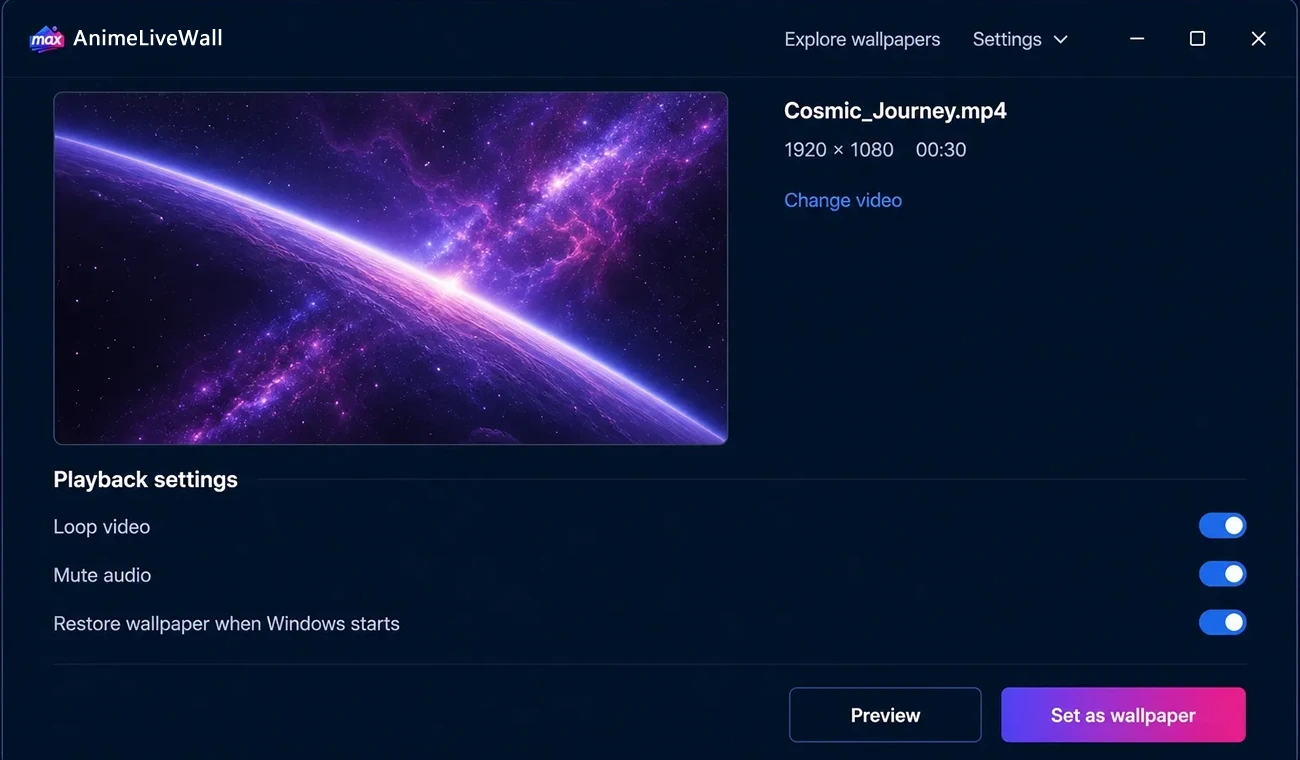
Simple setup
Choose a landscape MP4 from AnimeLiveWall in the resolution that matches your monitor.
Open AnimeLiveWall, select or drag in the downloaded video, then preview the result.
Select your monitor and set the video as the live wallpaper.
Desktop controls
Check how an anime scene fits your display before changing the wallpaper.
Pause, resume or stop the wallpaper from the application or system tray.
GPU-accelerated playback and fullscreen pausing help reduce unnecessary resource use.
Questions
Yes. AnimeLiveWall creates and distributes the anime wallpaper files.
AnimeLiveWall states that its Windows client is free for personal desktop customization.
The current client supports 64-bit editions of Windows 10 and Windows 11.
Use the AnimeLiveWall system tray controls to pause, resume or stop playback.
Pick an original anime wallpaper here, then use AnimeLiveWall to apply it on Windows.