Cozy Winter
10 Cozy Winter Anime Live Wallpapers for Quiet Evenings
Find your winter screen: 10 cozy anime live wallpapers with warm rooms, snowy villages, a winter train, and a pixel-art onsen, plus tips for choosing PC and Android versions.

Cozy Winter
Find your winter screen: 10 cozy anime live wallpapers with warm rooms, snowy villages, a winter train, and a pixel-art onsen, plus tips for choosing PC and Android versions.

The best winter wallpaper makes the cold look appealing from somewhere warm. A lamp beside a snowy window, a thick scarf, a train carriage on the way home: those details can be more inviting than a screen packed with decorations.
These ten cozy winter anime live wallpapers range from cocoa and sleeping cats to snow-covered villages and a pixel-art hot spring. Some feel like staying in; others make a short walk through the snow look irresistible. Each recommendation links to its own preview and lists whether the current release is made for a desktop or a phone.
My starting picks: choose Hot Cocoa and a Sleeping Cat for a warm PC desktop, A Winter Train Ride with a Gift for a travel mood, or Snow Monkeys in a Winter Onsen for a characterful Android screen. For a wider outdoor scene, start with A Snowy Japanese Village at Night.
Snow alone is not enough. The most inviting scenes give you a point of warmth: a lighted window, a scarf, a hot drink, or someone standing close. Warm amber against cold blue is a familiar combination because it makes that difference easy to see.
Movement matters just as much. A lovely still image can become tiring if its animation constantly pulls your attention away from the desktop. Play the preview for more than one cycle before deciding. Look for a comfortable pace, a natural repeat, and lighting you would enjoy seeing throughout the evening.
This is an editorial selection from published artwork descriptions and specifications, not a download-count ranking or an installation benchmark. The four illustrations below set the mood; the linked product pages show the actual wallpaper previews.
Listed release: 4K Desktop. Choose it for: A warm room with a little company.
The white cat is what makes this scene feel like somewhere to settle down. A red-haired character, knitwear, and a mug of cocoa supply the warmth; the snowy city outside gives that warmth a reason to matter. The result feels closer to the end of a good evening than a posed winter portrait.
This is my first pick for a cozy desktop. There is one qualification: the published scene includes fireworks, a small Christmas tree, and gifts. If you want an entirely quiet, non-festive background, inspect the motion preview before choosing it. For a December-to-New-Year setup, those details may be exactly the appeal.
Preview Hot Cocoa and a Sleeping Cat and check available downloads.
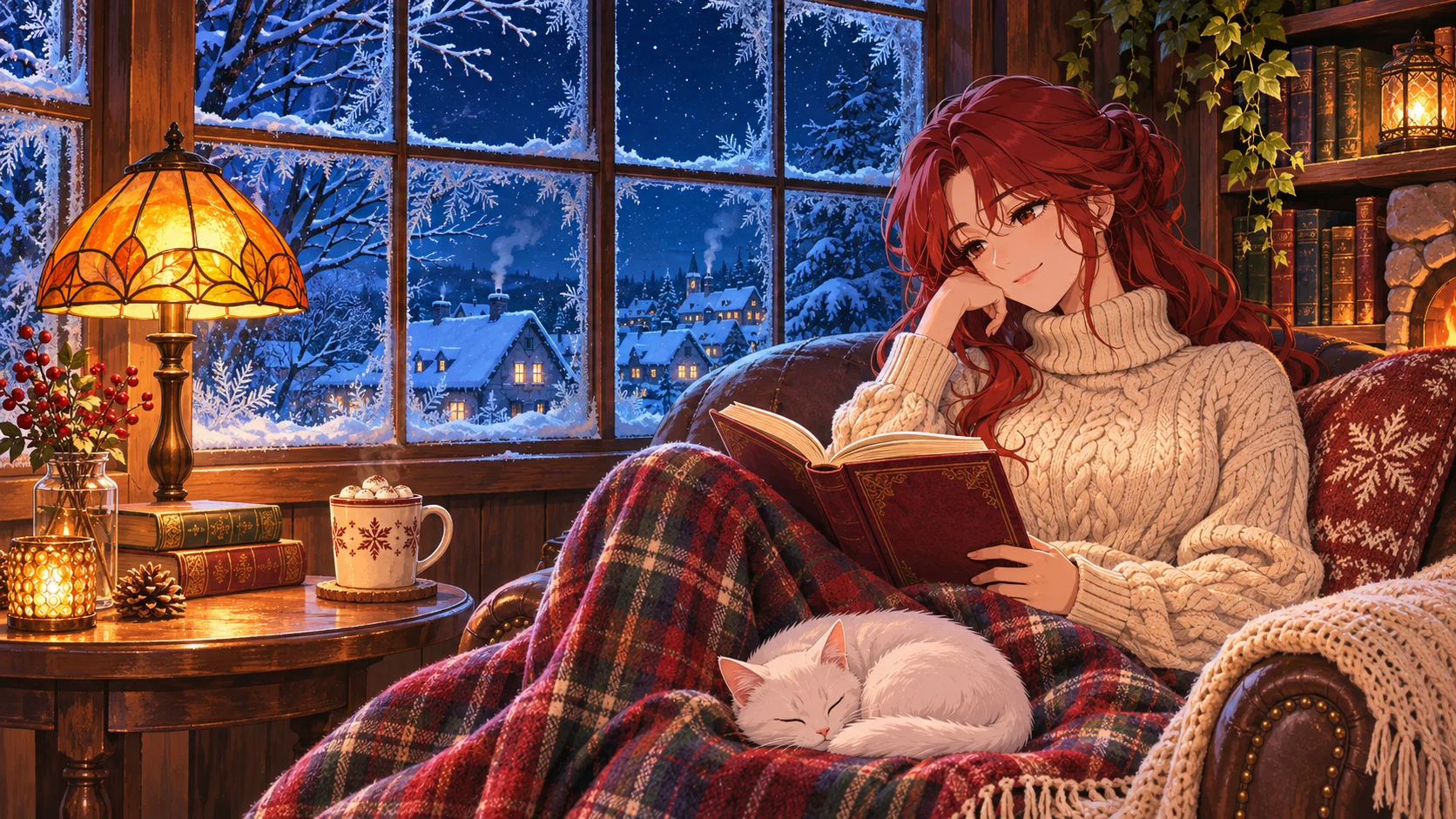
Editorial illustration: warm indoor light and a snowy view create the contrast that makes a room feel inviting. Not an exact download preview.
Listed release: 4K Desktop. Choose it for: The feeling of travelling home.
A thick scarf, a wrapped present, and a warmly lit carriage tell a small story without requiring a caption. Beyond the glass is a snowy village. It is the kind of composition that makes you imagine a destination, rather than simply admire a character.
Choose it if train windows and winter travel are your favorite part of the season. Keep shortcuts away from the face and the gift, and check how the window sits behind any desktop widgets. The listing also describes distant fireworks, so view the loop if you are sensitive to sudden bright details.
Preview A Winter Train Ride with a Gift and check available downloads.

Editorial illustration: a winter journey can feel just as cozy as an evening at home.
Listed release: 4K Desktop. Choose it for: An outdoor scene that still feels welcoming.
Cozy does not have to mean indoors. Here, the warmth comes from wooden houses, lanterns, and the sense that shelter is only a short walk away. A character in a beige coat and red scarf gives the snowy lane a human scale, while a red bicycle adds a pleasing everyday detail.
This is a strong choice when you want the setting to matter as much as the person. Compare its wide preview with your actual shortcut arrangement: a village scene has more edges, windows, and small highlights than a simple portrait. Give those details room instead of covering every corner with widgets.
Preview A Snowy Japanese Village at Night and check available downloads.
Listed release: 1080P Mobile. Choose it for: Pixel-art comfort without a human portrait.
Two snow monkeys relaxing in an outdoor bath offer a welcome change of cast. Snow, warm lanterns, a wooden building, and the hot-spring setting do the seasonal work. The pixel-art treatment adds the familiar comfort of a small game world.
Pick this for a phone that feels playful rather than glamorous. Before applying it, check that both monkeys remain visible in the crop. Taller phone displays can cut into a 9:16 composition, and losing one character would change the balance. The little towel and basket of oranges are worth preserving too.
Preview Snow Monkeys in a Winter Onsen and check available downloads.
Listed release: 1080P Mobile. Choose it for: A romantic winter screen.
The shared scarf is the central idea, not just an accessory. Beige and navy coats keep the couple distinct, and the street lamps bring warmth into the cool outdoor palette. It feels personal without needing hearts or a written message.
Use it if you want your wallpaper to suggest companionship. Keep both faces and the connecting scarf clear of notifications where possible. This is one complete couple composition, not a supplied pair of separate matching wallpapers; cropping each person onto a different phone may remove the relationship that makes it work.
Preview Sharing a Plaid Scarf Under Snowy Street Lights and check available downloads.
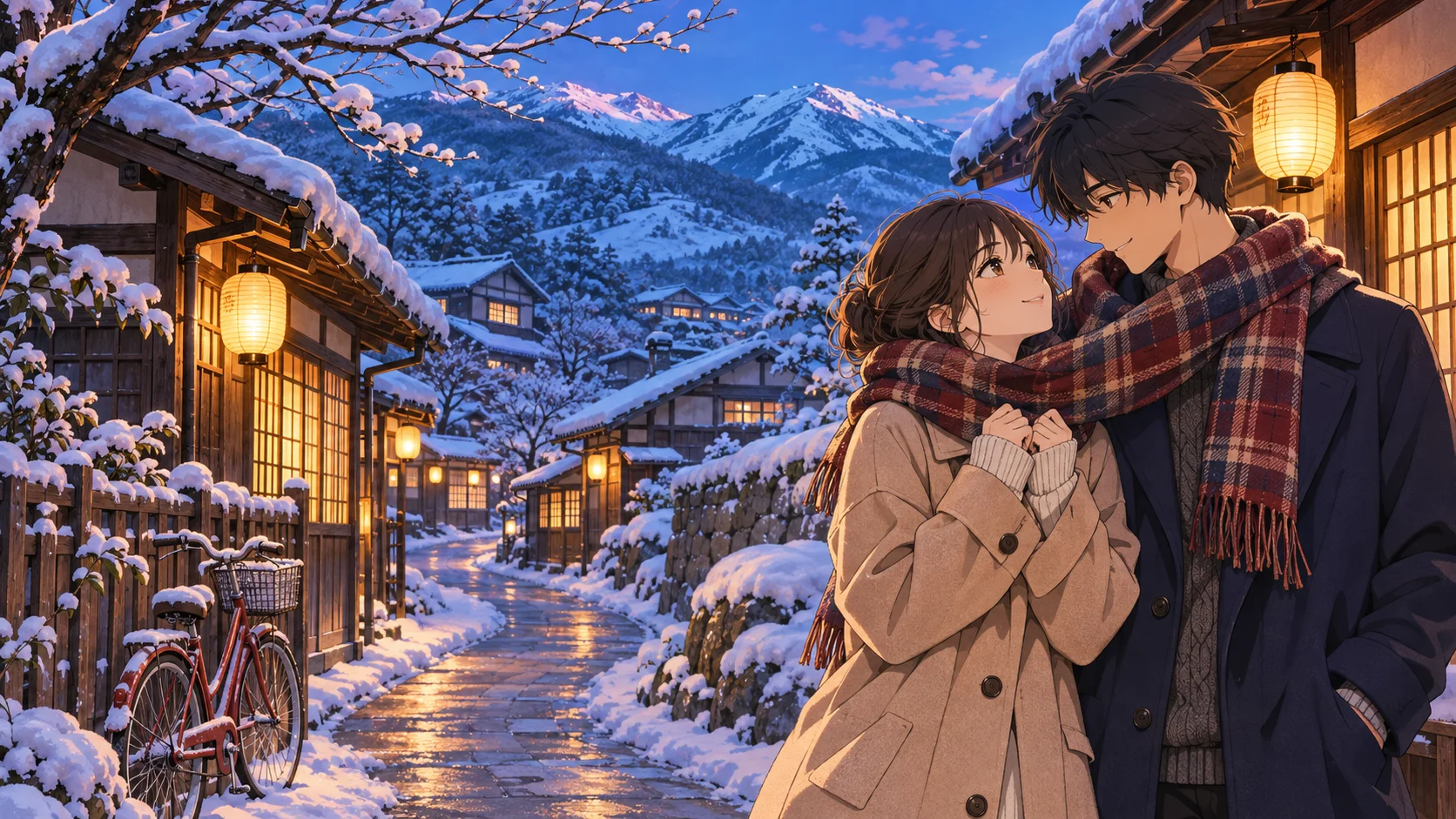
Editorial illustration combining the warmth of a shared scarf with a lantern-lit village setting.
Listed release: 1080P Mobile. Choose it for: A cozy indoor option for Android.
This portrait leans into small domestic pleasures: a beige sweater, marshmallows in the mug, and the contrast between a comfortable seat and the snow outside. It is a more intimate alternative to the wider cocoa-and-cat desktop scene.
The tree and decorated window make it noticeably festive. Choose it for the holiday weeks, or keep it longer if those details are part of what you enjoy. When previewing the phone crop, preserve the mug as well as the face; otherwise the scene loses its everyday warmth and becomes a more generic portrait.
Preview Hot Chocolate Beside a Snowy Window and check available downloads.
Listed release: 1080P Mobile. Choose it for: A warmer outdoor palette.
The red scarf provides a simple focal point against the beige coat and snowy street. Lanterns, glowing windows, and a wreath make the surroundings feel inhabited. It is a useful middle ground between an indoor comfort scene and a cool blue winter fantasy.
Choose this if the snow-princess palette feels too icy for your taste. The holiday decoration is visible, so it belongs more naturally to a festive winter setup than a strictly season-neutral one. A restrained clock style will usually let the scarf and expression do more of the work.
Preview A Red Scarf on a Snowy Christmas Street and check available downloads.
Listed release: 4K Desktop. Choose it for: A close portrait with winter texture.
This is the most face-focused desktop choice in the selection. Blue hair and luminous eyes bring a cool fantasy tone, while the thick knitted scarf supplies the tactile detail that keeps it connected to winter. There is no need for a room full of props.
It suits a blue-themed setup better than someone seeking a golden cabin mood. The eyes are intended to attract attention, so be realistic about whether that is what you want behind your work. Check the full-width preview for room around your shortcuts rather than assuming that a close portrait leaves space automatically.
Preview Blue Hair, Glowing Eyes, and a Knitted Scarf and check available downloads.
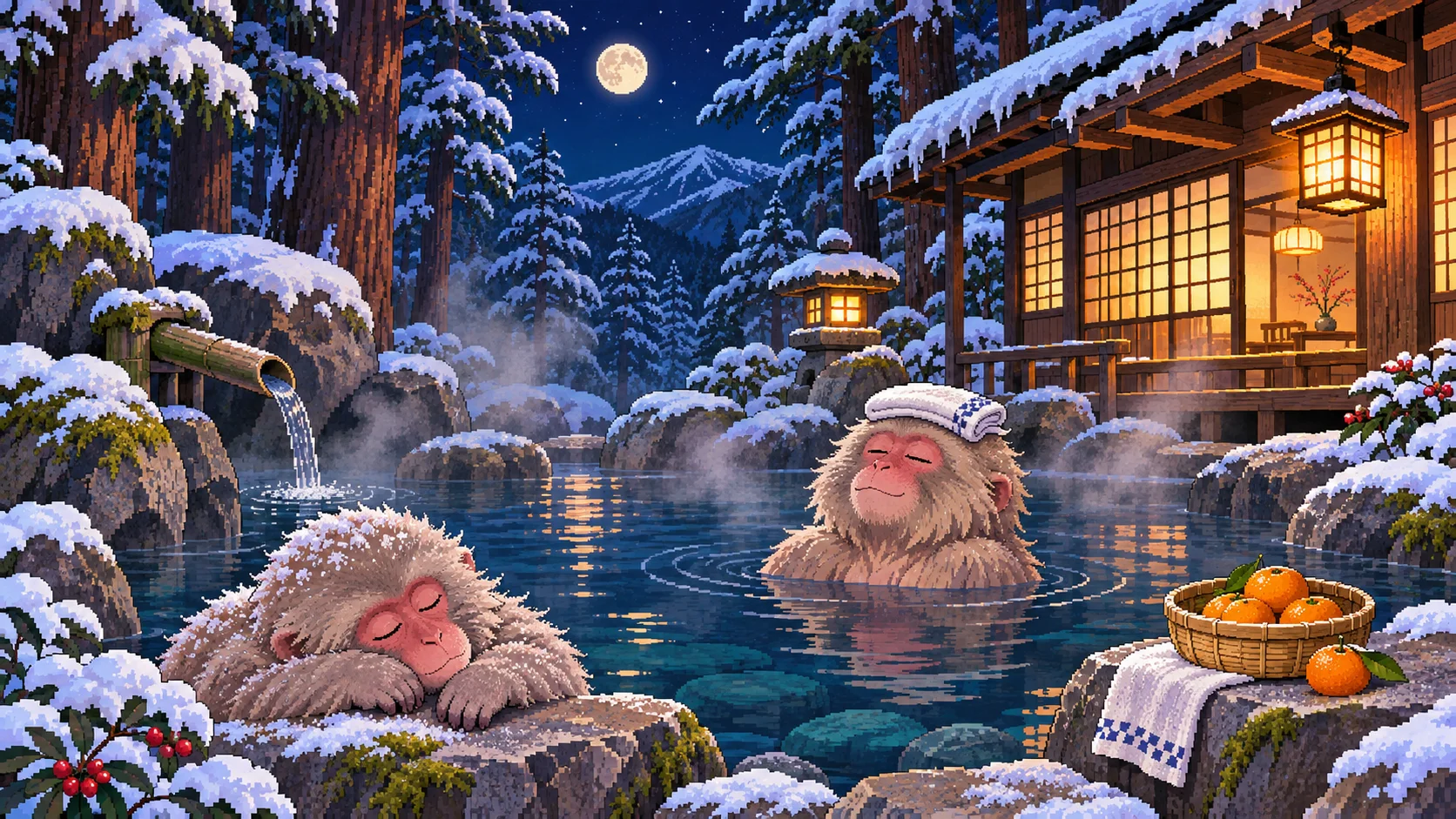
Editorial illustration: pixel art brings a different kind of winter comfort, with small environmental details worth keeping in view.
Listed release: 1080P Mobile. Choose it for: A quieter winter fantasy.
Silver-white hair, a blue cloak, a fur collar, and a moonlit backdrop make this a winter portrait that does not rely on Santa clothing. Its appeal is cool and storybook-like rather than domestic. Think of it as the gentle fantasy end of this collection.
Choose it when you want a wallpaper that can stay through January. The bright hair and moon may compete with a white lock-screen clock, so test readability on your phone. A darker clock color, where available, can help more than repeatedly adjusting the crop.
Preview Snow Princess Under a Full Moon and check available downloads.
Listed release: 4K Desktop. Choose it for: A lantern-lit winter evening.
The red kimono and torii gate give this scene a stronger visual structure than an all-blue winter portrait. Snow and a night sky establish the season; warm stone lanterns stop the setting from feeling entirely cold. It is a more ceremonial choice than a sweater-and-cocoa scene.
This pick works especially well if you prefer Japanese architecture to interiors. The decorative envelope and New Year associations make it a good seasonal bridge after Christmas. Keep the gate and lanterns in view when choosing a fit mode, since they are part of the reason to choose this composition.
Preview A Red Kimono at a Snowy Shrine and check available downloads.
Match the composition before chasing a higher resolution. A landscape scene is the natural choice for a wide monitor; a portrait scene is easier to use on a phone. A 4K label does not fix the wrong shape.
The five desktop picks here are Cocoa and Cat, Winter Train, Snowy Japanese Village, Blue Hair and Knitted Scarf, and Red Kimono at a Snowy Shrine. Their pages currently list 4K as the maximum quality. The other five are listed as 1080P Mobile. Check the download options on the individual page before saving a file.
A portrait video on a landscape monitor may need side borders or substantial cropping, depending on the wallpaper player. Stretching it makes faces look wrong. On a phone, even a portrait release may need a small crop because modern screens come in different proportions.
For more choices with a similar mood, browse the Cozy Winter collection or the broader Cozy Night Scene wallpapers. Those collections are useful when the style appeals to you but the listed orientation does not.
Keep the story visible. In the train scene, the gift and window matter. In the onsen scene, both monkeys matter. A crop that preserves the face but removes the setting can erase what made the wallpaper interesting.
Use your actual desktop as the test. A preview with no shortcuts is flattering to almost every wallpaper. After applying it, check the areas where you keep icons and widgets. Bright snow can reduce the contrast of white labels, while a detailed village can make a crowded desktop look busier.
Watch for changes in brightness. The cozy mood depends on consistent light. If a loop has bright flashes or a noticeable jump, decide whether you want to see that repeatedly. The two festive indoor/travel listings describe fireworks, so they deserve a closer preview if you prefer an especially quiet screen.
Do not confuse silence with stillness. The linked listings describe silent videos. That means no audio track, not an absence of visual movement. It leaves you free to play your own music without another soundtrack starting in the background.
On Windows: download the wallpaper video rather than its cover image, then import it into a compatible desktop wallpaper application. Preview the framing, choose the intended monitor, and apply it. Keep the source file in a permanent folder until you know whether your player stores its own copy. The website's Windows app page provides current download and compatibility information.
On Android: choose a Mobile release, import or open the downloaded video in a compatible live wallpaper app, and inspect the crop before applying it. Select the home screen, lock screen, or both only where your device supports those destinations. Use the Android app page for the current setup route.
If the animation does not start, check whether you saved a JPG, PNG, or WebP cover by mistake. If playback struggles, try an available lower-resolution version and compare the result. A wallpaper that plays comfortably is a better everyday choice than a larger file that stutters.
Which cozy winter anime wallpaper is best for a desktop?
Start with Hot Cocoa and a Sleeping Cat for an indoor scene, or the Snowy Japanese Village for a wider outdoor setting. Both are listed as desktop releases. The better choice depends on whether you want a close, personal scene or more environmental detail.
Are all ten wallpapers available in 4K?
No. Five linked pages currently list 4K Desktop releases, while five list 1080P Mobile. Available download versions can change, so use the individual product page rather than assuming every item has both orientations.
Do I need a Christmas theme for a cozy winter look?
No. The shared scarf, onsen, knitted-scarf portrait, and moonlit snow princess work through winter clothing and atmosphere. Several other picks do include Christmas or New Year details; those are identified in the recommendations so you can choose deliberately.
Will a live wallpaper affect performance or battery life?
Playing a video uses resources. The effect depends on the file, device, player, and other applications running. Compare your normal use with the animation playing and paused; use a lower-resolution option or a static image when that gives you a better experience. There is no device benchmark behind this selection.
Can every Android phone use one on the lock screen?
No. Lock-screen live wallpaper support depends on the phone, Android version, and available wallpaper options. If the destination is missing, check your device's capabilities rather than assuming the download is damaged.
Can I keep these wallpapers after the holidays?
Yes. A winter scene does not need to come down with the tree. Choose snow, lanterns, knitwear, or a hot spring if you want less explicit holiday decoration. Review the site's Content & Licensing terms for permitted personal use.
You do not need to change your entire setup for winter. Pick one scene whose light and composition feel right, give the important details some room, and live with it for an evening. The wallpaper worth keeping is the one you still enjoy when the novelty wears off.
Listings checked November 10, 2026. Recommendations use published scene descriptions and file specifications; individual animation effects and device performance have not been independently tested. Editorial illustrations are separate from the downloadable wallpapers.